
Dailymotion Video Downloader
Save any Dailymotion video as MP4 in the quality you choose — no ad-filled converter sites, no malware risk, one click.
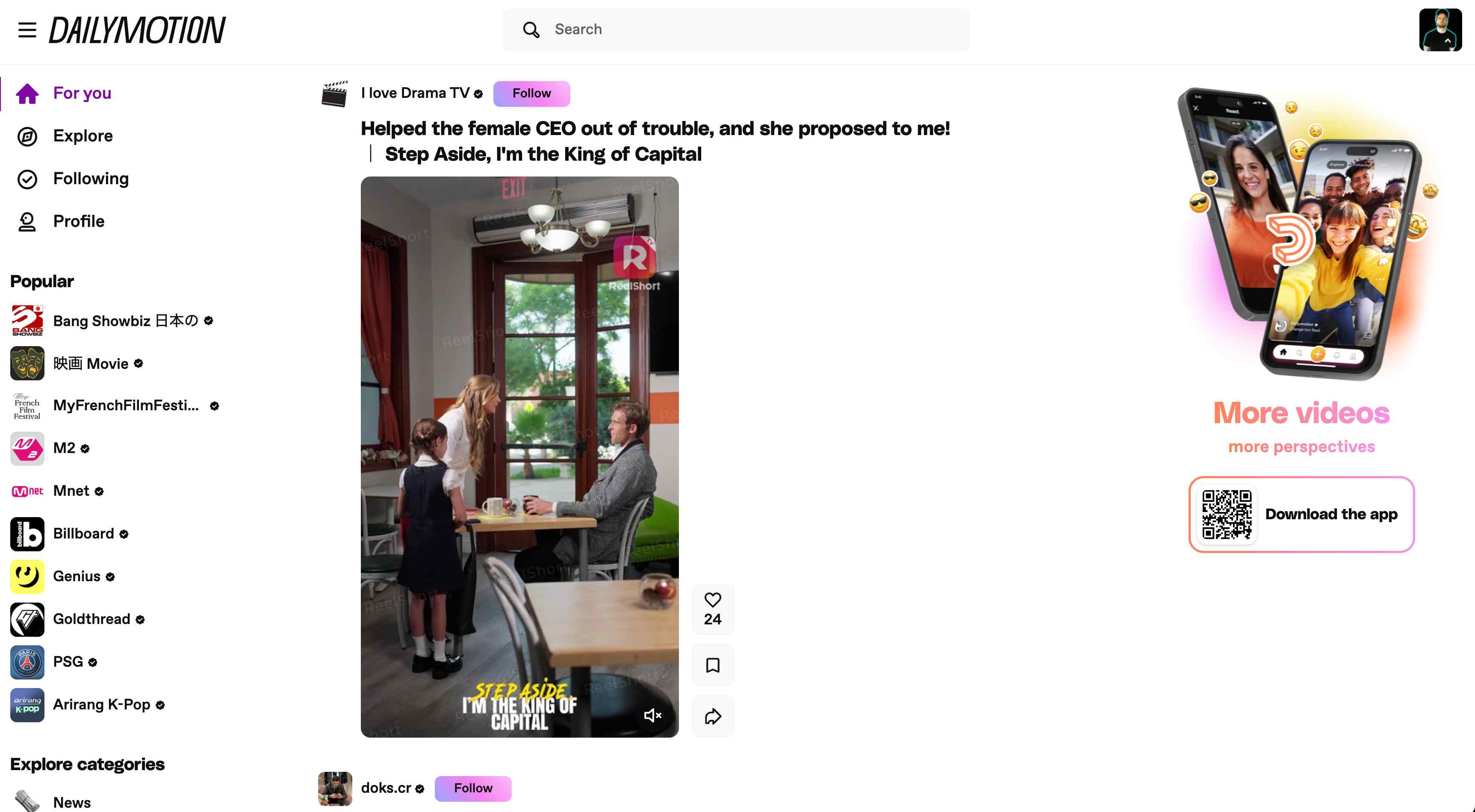
Overview
"Free Dailymotion downloader" websites all look the same: a text box surrounded by pop-up ads, fake download buttons, and the constant risk of unwanted software installs. Half the time they produce a blurry 360p file anyway. This browser extension skips all of that by putting a download option directly on Dailymotion video pages.
Open any Dailymotion video, click the extension icon or right-click for the download shortcut, and every quality option the video offers appears, from 360p up to 1080p. Pick the one you want and the file saves as a clean MP4 to a tidy Dailymotion folder in your downloads. No pasting URLs into random websites, no pop-ups, no mystery software. The extension handles both simple videos and longer content that uses streaming playlists, stitching everything together into a single playable file automatically.
All processing happens locally in your browser. Your video never gets uploaded to someone else's server. Files are ready for offline viewing, presentations, or archiving. Try 3 free downloads after a quick email sign-in to see how it works.
Why It Exists
- Save Dailymotion videos for offline viewing without screen recording or browser-based copy-and-paste tools.
- Pick the actual quality Dailymotion exposes instead of downloading a random default rendition.
- Keep downloads organized in one folder so reference clips and archives are easier to manage.
- Keep the workflow private because processing stays on your own device.
Key Features
- Detects Dailymotion videos automatically from supported
/video/pages without requiring manual URL cleanup. - Uses Dailymotion's player metadata API to surface available formats more reliably than generic video downloaders.
- Supports direct MP4 downloads when a file source exists and HLS-to-MP4 conversion when the page serves playlists.
- Lists available qualities by resolution so it is easy to pick the exact version you want.
- Parses HLS master playlists and expands variant streams when metadata alone is not enough.
- Shows video details such as title, thumbnail, duration, and detected format count inside the popup.
- Adds a "Download Dailymotion video" context-menu shortcut on supported page URLs for faster access.
- Auto-saves finished files into Downloads/Dailymotion without repeated save dialogs.
- Supports Chrome, Edge, Firefox, Brave, Opera, Whale, and Yandex on desktop operating systems.
- Shows desktop notifications when downloads complete or fail.
How It Works
- Activate the trial: Install Dailymotion Downloader and complete the email OTP flow to unlock 3 trial downloads on the current device.
- Open a Dailymotion video page: Visit a supported Dailymotion URL with
/video/in the path and let the page finish loading. - Choose a format: Use the popup or page context menu to scan the video, then pick the quality and source type you want.
- Save the MP4: The extension downloads or stitches the media locally, then writes the finished file into Downloads/Dailymotion.
Reviews
- Perfect for grabbing training videos (5/5): I archive Dailymotion tutorials for offline training and the format picker lets me grab 1080p every time instead of ending up with a random 360p file. - Carlos Rivera
- Smooth HLS handling (4.9/5): The HLS stitching works flawlessly on longer Dailymotion videos. Context menu makes the whole process feel native to the browser. - Sophie Andersen
- Local and well-organized (4.8/5): No uploads to third-party sites, no shady web tools. Everything stays on my machine and the Dailymotion folder keeps things tidy. - Tomasz Kowalski
Platform Support
Browsers
- Chrome
- Edge
- Firefox
- Brave
- Opera
- Whale
- Yandex
Operating Systems
- Windows
- macOS
- Linux
Supported Content
- Standard Dailymotion video pages
- Direct MP4 sources when exposed by the page
- HLS-based playback that can be stitched into MP4
- Videos your current session can already access
Not Supported
- Dailymotion live streams
- Safari and mobile browsers
- Third-party embeds without opening the original Dailymotion page
- Protected or inaccessible content you cannot already access
Privacy and Permissions
Supported regions: Worldwide.
Limitations:
- The extension is designed for Dailymotion
/video/pages. - Dailymotion live streams are not supported.
- Downloads run one at a time.
- Safari and mobile browsers are not supported.
- Available quality depends on what the source video exposes.
- You must already have permission to access and download the content.
- Email OTP sign-in is required to activate the free trial.
Permissions:
- downloads: Writes finished MP4 files to your device and keeps browser download state aligned with the extension UI.
- activeTab: Limits scanning to the Dailymotion tab you are actively viewing.
- storage: Stores activation state, trial counters, selected quality preferences, and local settings between sessions.
- tabs: Keeps popup state and download progress aligned with the correct Dailymotion tab.
- scripting: Reads the current page URL and metadata needed to identify the Dailymotion video and build the format list.
- offscreen: Handles HLS playlist processing and MP4 assembly in a hidden context so the visible page stays responsive.
Links
FAQs






Featured in
Related

Semester ending? Save your Moodle lectures and course files as MP4 before the university locks you out.
Save Niconico videos with the iconic scrolling comments intact. Full quality, no buffering, offline.
Someone sent you a TeraBox link? Download it right from your browser. No app install, no account, full speed.

Stop losing movies when streaming mirrors go down. Save them as MP4 files you keep forever.
Archive.org downloads are painfully slow. Batch save books, videos, and entire collections the easy way.
Rawpixel has thousands of incredible design resources. Downloading them one at a time is not incredible. Batch-save mockups, vectors, and art in seconds.