
Unsplash Downloader
Grab entire Unsplash collections at full resolution in one click — no more downloading photos one at a time through that annoying modal.
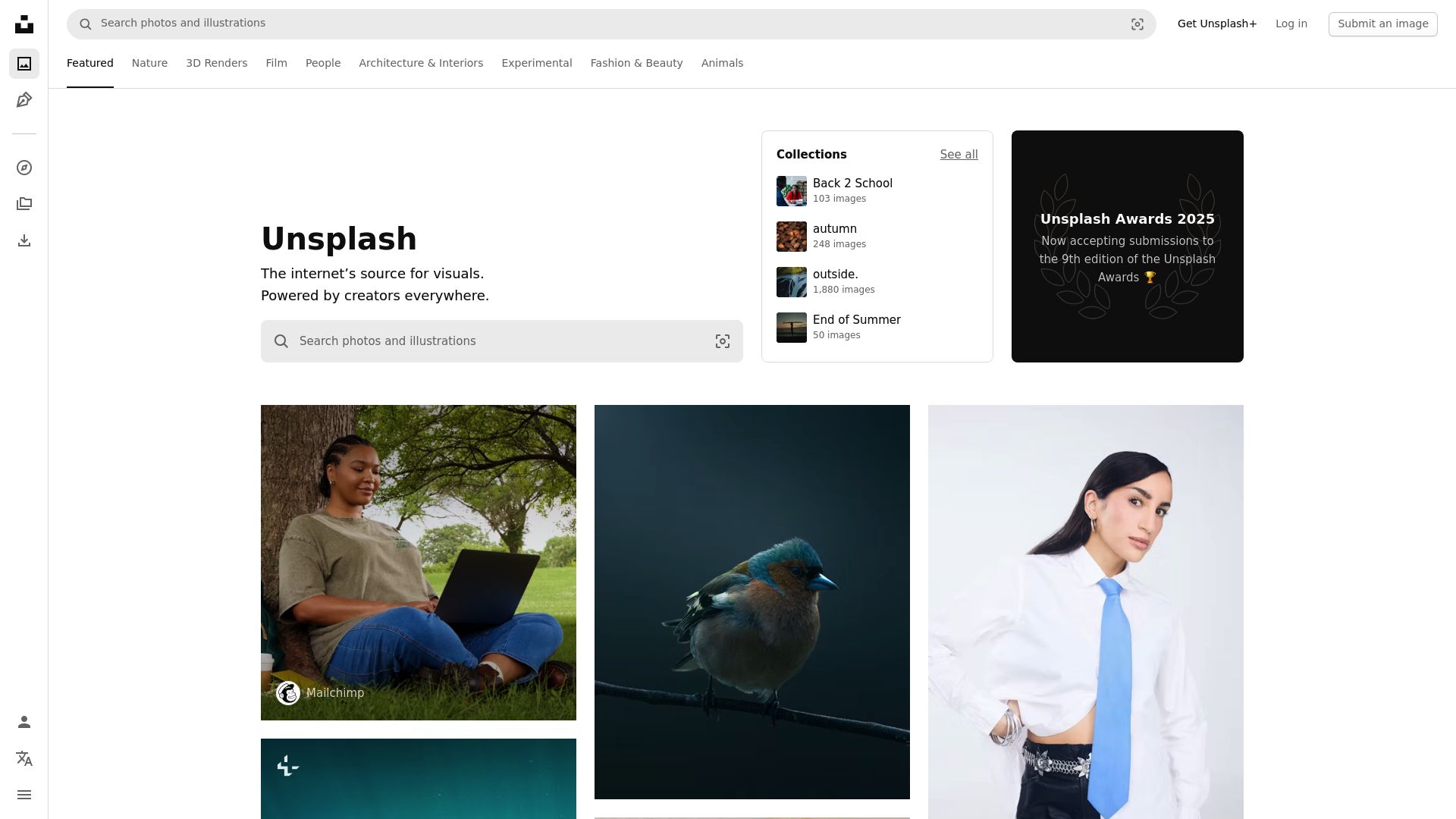
Overview
Unsplash has incredible free photos, but downloading them is tedious. Search, find a great shot, click it, wait for the modal, pick a size, hit download, then repeat for every image. Need 30 photos for a blog redesign? That's 30 rounds of clicking. Half the time you accidentally grab the smaller web preview instead of the full-resolution original.
This browser extension eliminates all of that. Open any Unsplash search page, collection, or photographer portfolio, click the extension icon, and select every photo you want. They all download at maximum resolution, the same quality as the original upload (typically 4000-6000px), straight to your computer as JPEG files.
The extension also tracks photographer names alongside each download for easy crediting. It remembers what you've already saved to avoid duplicates, and everything processes locally in your browser with nothing sent to outside servers. Try 3 free downloads to see how fast it is, no credit card needed.
Why It Exists
- Skip Unsplash's one-at-a-time download modal and batch-pull entire search results or collections
- Always get the full-resolution version — no accidentally downloading the smaller web preview
- Track photographer attribution for proper crediting as recommended by the Unsplash License
- Build offline photo libraries of royalty-free content ready for blogs, social media, and web design
Key Features
- Batch download high-resolution photos from Unsplash search results, collections, and portfolios
- Extracts the maximum-resolution version via Unsplash's API-driven page structure
- Preserves EXIF metadata and photographer attribution data
- Downloads JPEG files at original dimensions — typically 4000-6000px on the long edge
- One-click collection export — download entire curated collections at once
- Download queue with concurrent transfers and per-file progress bars
- Batch export from topic pages (Nature, Architecture, Business, etc.)
- Skips Unsplash's one-at-a-time download modal for faster workflows
- Photographer attribution tracking for proper crediting
- Duplicate detection flags previously downloaded photos
How It Works
- Install the extension: Add Unsplash Downloader to Chrome, Edge, Firefox, Brave, or Opera and complete the quick activation with your license key.
- Browse Unsplash photos: Navigate to any Unsplash search results page, collection, topic page, or photographer portfolio.
- Select photos to download: Click the extension icon to scan the page for available photos. Select images individually or batch-select all — no download modal needed.
- Download at full resolution: Download automatically at maximum resolution (typically 4000-6000px). Files save locally as JPEG with EXIF metadata and photographer attribution preserved.
Reviews
- No more download modal clicking (5/5): I curate Unsplash collections for blog posts and this extension lets me batch-download entire collections in seconds instead of clicking through the download modal 50+ times. - Sophie Andersen
- Always gets maximum resolution (4.9/5): The full-resolution extraction is perfect — I was accidentally getting smaller previews before. Now every Unsplash photo comes through at its original 6000px quality. - Marco Bianchi
- Attribution tracking is a great touch (4.8/5): The photographer attribution tracking is a thoughtful feature. I credit every photographer I use from Unsplash and this extension makes it effortless to track who took what. - Lakshmi Venkat
Platform Support
Browsers
- Chrome
- Edge
- Firefox
- Brave
- Opera
Operating Systems
- Windows
- macOS
- Linux
Supported Content
- High-resolution photos in JPEG format (typically 4000-6000px)
- Batch downloads from search results, collections, and topic pages
- Photographer portfolio exports
- Unsplash License content — free for commercial and non-commercial use
Not Supported
- Safari and mobile browsers
- Unsplash+ premium content without a subscription
- Bypassing Unsplash's rate limits
- DRM-protected or restricted assets
Privacy and Permissions
Supported regions: Worldwide.
Limitations:
- Full-resolution downloads depend on the original upload size from each photographer.
- Unsplash may rate-limit downloads during very high-volume sessions.
- Unsplash+ premium content requires a separate subscription.
- Photographer attribution is tracked but not automatically embedded in file metadata.
- Safari and mobile browsers are not supported.
- Download speed depends on your internet connection and Unsplash's servers.
- Email activation is required before first use.
Permissions:
- downloads: Saves full-resolution Unsplash photos directly to your downloads folder and tracks batch download progress for each file.
- activeTab: Reads the current Unsplash page to detect available photos, extract maximum-resolution URLs, and inject download controls into search results and collections.
- storage: Stores licence activation, download history for duplicate detection, and user preferences between browser sessions.
- notifications: Sends desktop alerts when batch downloads complete or if a transfer encounters an error requiring attention.
Links
FAQs





Related
Skip the Creative Cloud download dance — pull your licensed Adobe Stock photos, vectors, and videos straight to local folders in one batch.
GoHighLevel tutorials get updated and old versions vanish. Save the training videos you need as MP4 files.
You bought the course — but the creator can take it down anytime. Download your Teachable videos before access disappears.
Memberships expire, coaches remove content, and there is no download button. Save your Kajabi course videos as MP4s before they are gone.
Cancel Hulu whenever you want — but keep the shows. Download episodes as MP4 files you own forever.

Your Skool cohort won't last forever — save every lesson and replay as MP4 before access disappears.