ClientClub Video Downloader
Your agency's ClientClub training videos could vanish when access changes. Download them as MP4 while you can.
Overview
Agencies change. Contracts end. Portals get reorganized. When any of that happens, the training videos inside your ClientClub portal can disappear without warning. The onboarding series you relied on, the coaching replay you planned to rewatch, all gone when your access changes.
This extension saves ClientClub training videos as MP4 files on your own computer while you still have access. It works with every type of video found inside a ClientClub portal, whether the lesson uses Loom, Vimeo, Wistia, YouTube, or the portal's own player. Open a lesson, start playback, choose your quality, and the file downloads right to a dedicated folder on your computer. Up to three downloads can run at once, so working through a full training library is fast.
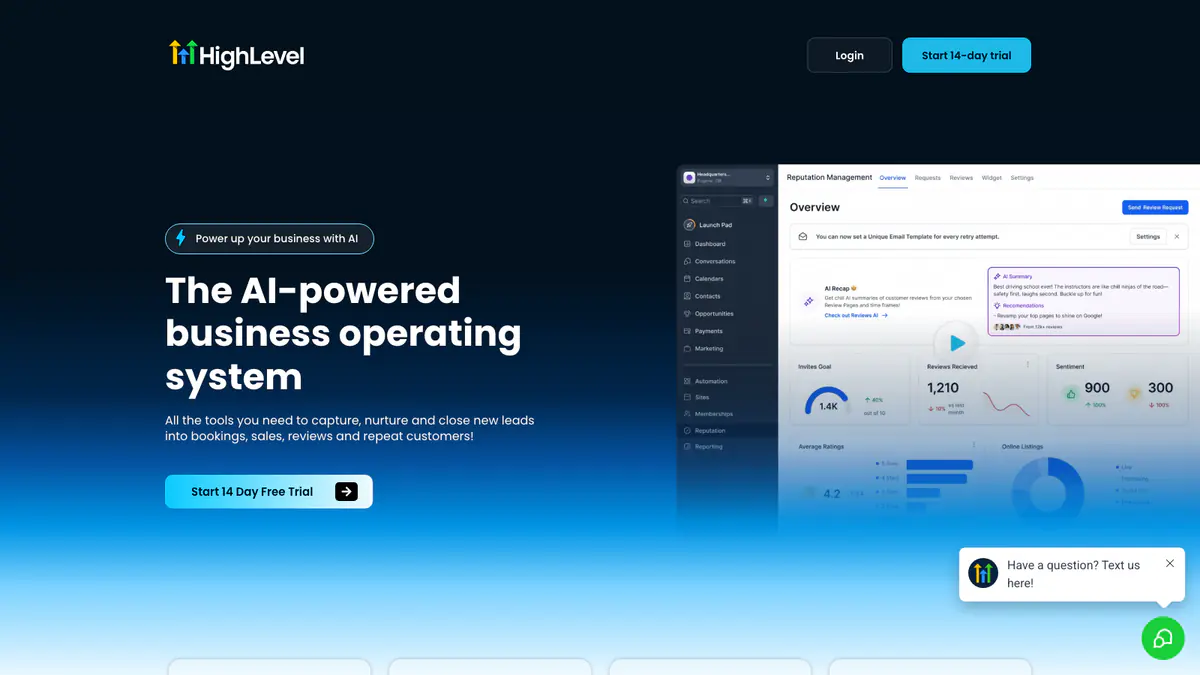
The extension only activates on actual ClientClub portal pages and stays completely quiet everywhere else. Everything processes locally in your browser, and your downloaded files are never sent through outside servers. Three free downloads are included to get started.
Why It Exists
- Archive client-portal lessons and coaching videos before access or memberships change.
- Save mixed embedded training content through one workflow instead of using a separate tool for each platform.
- Keep offline MP4 copies for travel, review, onboarding, or internal documentation.
- Stay private because the download and conversion process runs on your own device.
Key Features
- Detects ClientClub and GoHighLevel-powered portal pages before activating, so the extension only runs where it is relevant.
- Supports native portal media plus embedded Loom, Vimeo, Wistia, YouTube, and GoHighLevel-native video.
- Uses dedicated platform-specific handlers instead of relying on one generic detector for every embedded player.
- Lists available qualities based on the source platform so you can choose the best rendition it actually exposes.
- Runs up to 3 concurrent downloads with queue-aware progress tracking in the built-in manager.
- Adds a context-menu shortcut labeled 'Download ClientClub Video' on supported page and video contexts.
- Auto-saves completed MP4 files into Downloads/ClientClub Downloader without repeated save prompts.
- Shows desktop notifications for completion and error states while longer downloads continue in the background.
- Uses secure email OTP activation with 3 free downloads before the paid subscription is required.
- Works on Chrome, Edge, Firefox, Brave, Opera, Whale, and Yandex across Windows, macOS, and Linux.
How It Works
- Install and activate: Add ClientClub Downloader to your browser and complete secure email OTP activation to unlock 3 free downloads.
- Open the portal lesson: Visit a ClientClub or compatible HighLevel portal page that contains a video you are authorized to view.
- Play and choose quality: Start playback so the source loads, then use the popup or context-menu action to pick the rendition you want.
- Save the MP4: The extension downloads the direct file or converts the supported stream locally, then saves the finished MP4 into Downloads/ClientClub Downloader.
Reviews
- Excellent for portal training archives (5/5): Our ClientClub training portal mixes native portal media with Loom and Vimeo lessons. This keeps all of it in one reliable workflow. - Elise Morgan
- Fast workflow for long lesson libraries (4.9/5): The context-menu shortcut and auto-save folder make it easy to move through long lesson libraries without repeating the same clicks. - Darryl Cho
- Great for offline portal study (4.8/5): I use it mainly for coaching replays before travel. The notifications and queue mean I do not need to babysit every job. - Priya Anand
Platform Support
Browsers
- Chrome
- Edge
- Firefox
- Brave
- Opera
- Whale
- Yandex
Operating Systems
- Windows
- macOS
- Linux
Supported Content
- ClientClub and compatible HighLevel portal lessons
- Native portal media
- Embedded Loom, Vimeo, Wistia, and YouTube videos
- Authorized client-portal training pages you can already access
Not Supported
- Circle and Skool pages handled by other dedicated SERP extensions
- Live streams
- Safari and mobile browsers
- DRM-protected or inaccessible content
Privacy and Permissions
Supported regions: Worldwide.
Limitations:
- You must be on an actual ClientClub or compatible HighLevel portal page for the extension to activate.
- You must press play before some embedded players expose their stream data.
- Live-stream capture is not supported.
- Available quality depends on the underlying source platform.
- Safari and mobile browsers are not supported.
- The extension is designed for lesson-level downloads, not full-course bulk export.
- You must already have permission to access and download the content.
- Email OTP sign-in is required to activate the free trial.
Permissions:
- downloads: Saves finished MP4 files to Downloads/ClientClub Downloader and keeps the download manager synchronized with active jobs.
- storage: Stores activation state, trial counters, selected formats, and queue state locally between sessions.
- activeTab: Checks whether the current page is an actual ClientClub portal lesson before the extension activates.
- tabs: Maintains queue visibility while you move between lessons or portal tabs and keeps progress in sync.
- scripting: Reads portal markers and embedded player metadata so each lesson can be handed to the correct platform handler.
- notifications: Shows completion and error alerts without requiring the popup to remain open during longer downloads.
Links
FAQs




Related

Grab entire Unsplash collections at full resolution in one click — no more downloading photos one at a time through that annoying modal.
Skip the Creative Cloud download dance — pull your licensed Adobe Stock photos, vectors, and videos straight to local folders in one batch.
You bought the course — but the creator can take it down anytime. Download your Teachable videos before access disappears.
Memberships expire, coaches remove content, and there is no download button. Save your Kajabi course videos as MP4s before they are gone.
Cancel Hulu whenever you want — but keep the shows. Download episodes as MP4 files you own forever.

Your Skool cohort won't last forever — save every lesson and replay as MP4 before access disappears.